
VidMate APK The Best Media Downloader for Android 2026
vidmate Latest Version
Just Now
33 MB
v6.0345
All Devices
100k+

Description
What is VidMate and why is it so popular?
VidMate is a free video and music downloader app for Android to help you get several popular web. Videos and songs can be saved straight to your phone from sites. Repeated stream to the same video Instead of wasting mobile data, you download it once and then anybody. You can see time and offline anywhere.
This app became popular for some simple reasons:
- Easy to use: search, preview and download on one screen.
- Support from several sites: it works with many platforms people use daily.
- Flexible formats: Choose quality and file type to suit your storage and screen.
- Free Usage: No Subscription Fees to Start.
Download videos from YouTube and other sources for long travel, recreational or vulnerable internet Want to save videos from sites, VidMate is one of the most known names for them. People Searches this as VidMate APK because it’s an install instead of a Google Play store Available in the form of file.
In this guide, you’ll learn what VidMate offers, how to install it step-by-step What platforms are supported, safety and legal questions and common questions answered.
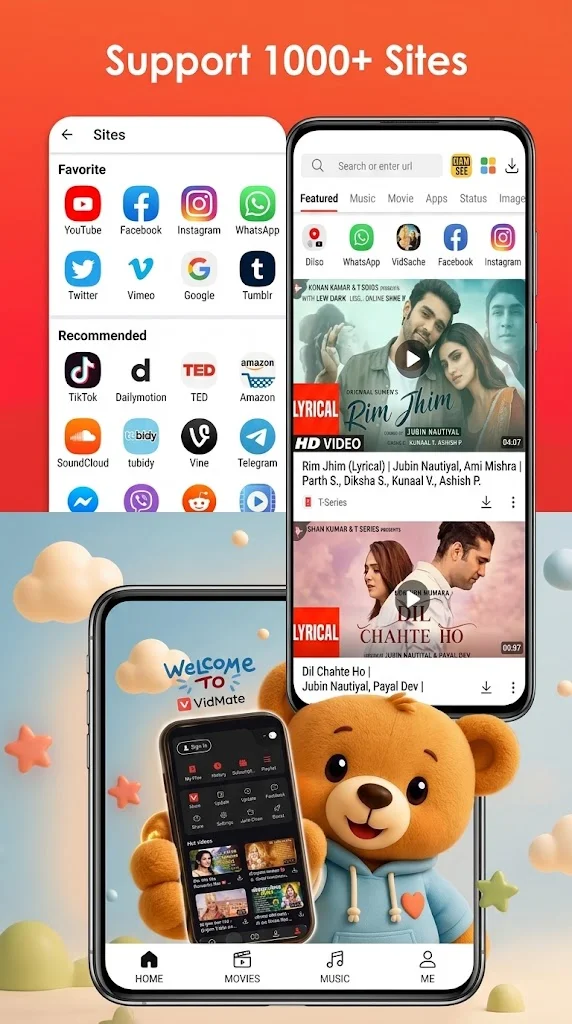
VidMate Features
HD video downloader
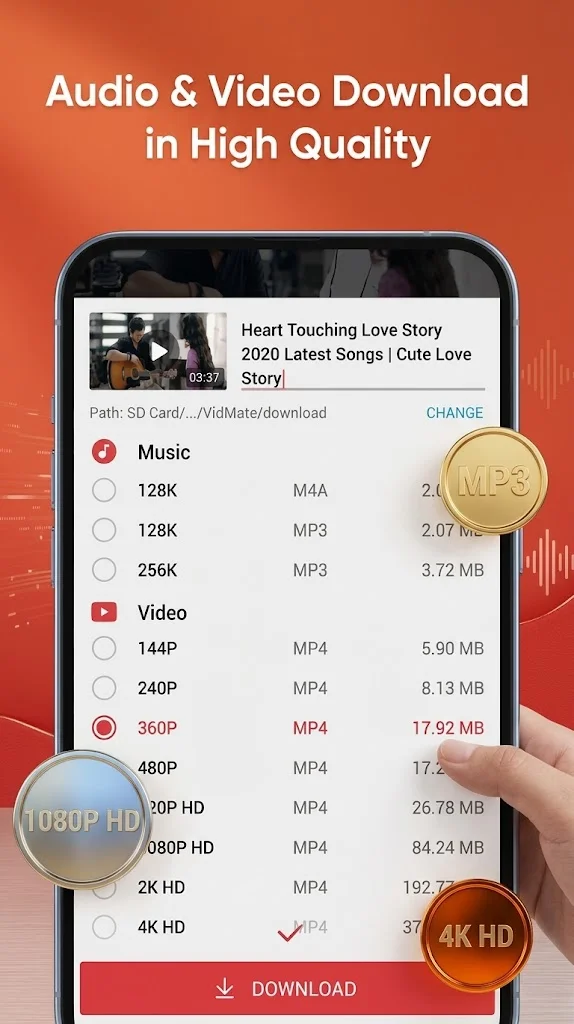
Source site that proves resolution vidmate gives different opportunitive. Less size if storges saving Pick, and more resolution for big screens. That same flexibility has made it a reliable one. HD video downloader says.
Built-in browser
You can download directly from the page by browsing supported websites within the app. The link between different apps doesn’t need to be copied and pasted, which saves time.
Music converter
VidMate can save songs or separate audio from video if you only want sound. This makes it easier to create offline playlists of songs, podcasts or speeches.
Batch downloading
You can line several files together and they’ll continue to download one after another. These are useful for a collection of playlists, series or small clips.
Fast download speed
VidMate supports multi-threaded downloading and you’ll also resume the download. Can. Real speed depends on your internet connection and source server, but generally on a good connection. Results fast.
Other Useful Facilities
- Download manager who shows progress, speed and file size
- Format and quality selection for each download
- offline playback of secure files
- Convenient search and trending content tips
How to download and install VidMate APK on Android
VidMate isn’t available on google play, so you have to install an APK file yourself. Caution here. It’s important because mailwear and fake apps are common in unofficial APK websites
Step-by-Installation Guide
- Choose a reliable source. Use VidMate’s official website as much as possible. Random mirrorsites, pop Avoid upload buttons and suspicious sites.
- Download VidMate latest version. Combine number and file size with the official page.
- Allow browser installation. Your browser by going to Settings > Security (or Apps) > Install unknown apps select and just let this installation
- Open an APK file (with notification or downloads folder) and tap Install.
- Scan the file. Check from a reputable mobile security app or online scanner before opening.
- “Install unknown apps” should be re-installed after installation.
- When you first open, see promotions and discard the ones that look unnecessary.
Protective Points Before Install
- Keep your phone’s operating system updated.
- Use a reputable security app.
- Don’t ever put a bank or social media password in an app that you don’t fully trust.
- Back up important data before installing any app from the Play Store.
Supported platforms and websites
VidMate has been used with different platforms. Support keeps changing with time Performance on some sites may be better or vulnerable than others.
- Youtube: People who want to do download videos from YouTube, the most tracking use
- facebook: public videos
- Instagram: public videos and reles
- tiktok: short clips
- Whatsapp states saver: save the states you’ve seen
- Other video and music sites: sometimal platforms also support
Platforms change their systems could stop download until the app updates. This is why VidMate latest version should be checked regularly.
Is VidMate Safe and Legal?
These are the most common customer questions and their honest answer is essential.
Are VidMate safe?
App fame has been found. Since it’s installed out of Google Play, this playstore Cannot go through review. Users have complained a lot of advertisements and pop-ups, and VidMate Fake or Changed APK Files that Mimic component circulates on the Internet with Adewear or Mailwear can happen. To reduce risk:
- Download just from the official website
- Scan every APK before installing
- Don’t give immediates immediates
- Please consider using an additional phone if you have doubts.
Is VidMate legal?
Keeping the app is not illegal, but what matters is how you use it:
- Terms of Service: Platforms like YouTube are generally prohibited from downloading content without permission, except Offline downloads of YouTube Premium for your official features.
- Copyright: Downloading or sharing copyrighted videos or music without the permission of several countries I may be infringing copyright law.
- Secured use: Content you create, creative commons or materials with public domain licensed, or content that owns. The creator has clearly permitted.
Rules vary in every country, so make sure to see the rules of your country. This article is general information. Yes, no legal advice.
Secured replacement
Official offline of apps like YouTube Premium, Spotify or Netflix if you’d like to be absolutely unsafe Use features. They’re legally, secure, and fully supported.
Points to get the best results from VidMate
- Watch storage first. HD videos takes a lot of places, so pick the quality as you need.
- Use Wi-Fi for larger downloads. This saves your mobile data.
- Update regularly. New versions often get damaged downloads and bugs fixed.
- Keep the download list clean. This keeps the app fast and organized.
- Use the media player you like. Saved Files run better in a good player.
Frequently Asked Questions (FAQs)
1. What’s VidMate APK?
VidMate APK is actually a VidMate installation file, an Android app and videos from supported websites Music helps download for offline use.
2. Is VidMate free?
Yes, the app is free to download and use. Advertisements to cover costs come.
3. Where will you find the latest version of VidMate?
See VidMate’s official website. Avoid third-party sites as changed files may be unsafe.
4. Is VidMate available at Google Play Store?
No. It installs in the form of an APK i.e when set up you “Install unknown on the phone apps” have to be allowed.
5. Can VidMate download videos from Youtube?
It has been widely utilized for the same purpose, but youtube terms generally without permission Restrict downloads, just save what you’re allowed to.
Results and Final Opinion
When people are looking for the best media downloader for Android, Vidmate is still the most familiar names. Included. These HD downloads, built-in browser, music converter, batch downloadings and fast transfers. Submits to the simple app, and that’s why it’s popularity.
However, there are some real compromises with it. It’s out of the playstore, unofficial copies should be dangerous. Can, and downloading safety matursday reponses or copyright law is infron. can.
Our final opportunitimate for careful users and specified features. Only Install officially, scan the file before opening, and only download the content that’s secure You have the right to do. If you want complete satisfaction, the official offline features are the safest choice.
Download links
How to install VidMate APK The Best Media Downloader for Android 2026 APK?
1. Tap the downloaded VidMate APK The Best Media Downloader for Android 2026 APK file.
2. Touch install.
3. Follow the steps on the screen.