
Bit Forge App Review 2026 Best Ultimate Daily Earning Guide
Bit forge
Just Now
18MB
Version 4.2
All Devices
9k

Description
About Bit Forge App
The tendency to earn money by mobile sitting at home in Pakistan is increasing very fast. Online earning apps are trending in the market, such as Bit Forge where you can start as low as Rs. 500. Gain a great income on a daily basis by depositing (investing). In this article, we’ll guide you. Bit Forge App explains how to create an account on it, how to log in how to active packages and how to receive daily income.
What is Bit Forge App and how does it work?
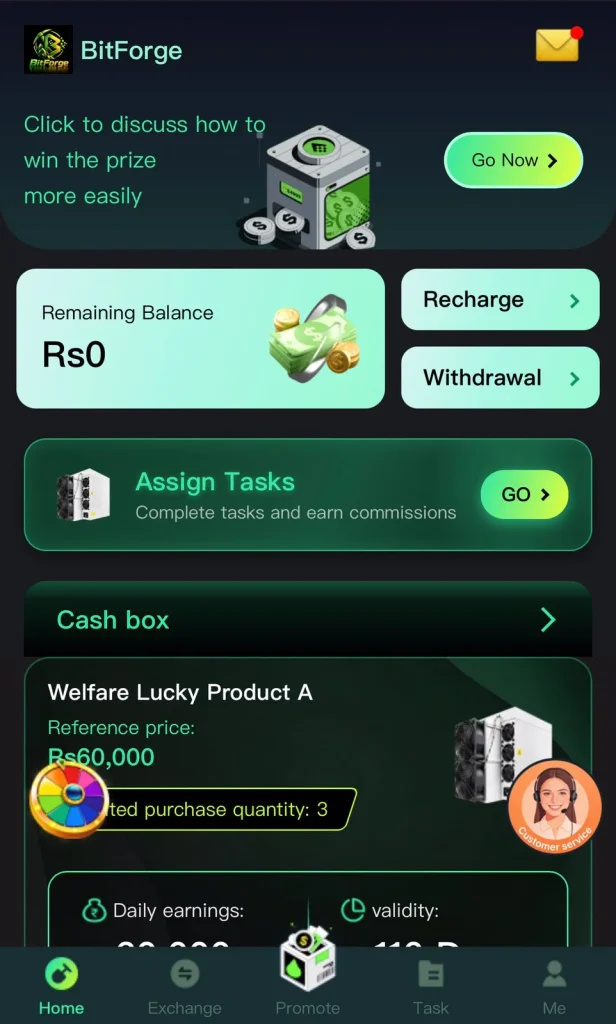
Bit Forge is a digital earning platform that gives customers the opportunity to earn daily on small investments This app’s basic principle is very simple:
You activate your account or package by depositing Rs 500 on Bit Forge.
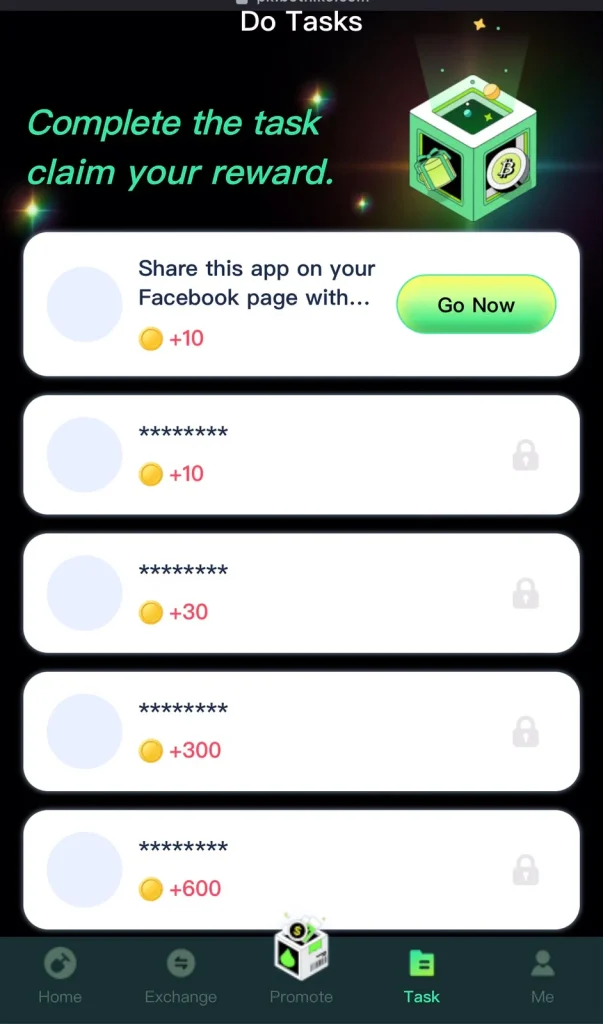
You can then see daily tasks, ads (Ads) or do other things.
The harder and harder you work, the higher your daily income.
Bit Forge the best part in the app is that the more time you’ll give and the more hard work you’ll give Will, your daily income will grow as much as you do.
How to register an account on the Bit Forge App?
If you’re new and want to start earning on Bit Forge platform, first you will need to register your account. Here’s the procedure:
Open official link or Bit Forge App: first open app or his official web go to site.
Register/Sign-up (Sign Up): “Register” or “Sign Up” option on home screen you’ll get, click it.
Enter your details:
Full name: write your real name.
Mobile number: enter your active JazzCash or Easypaisa number.
Email address: Write your correct email address.
Create a strong password: set a strong password to secure your account; it must include both digits.
Referral code: If you’ve been invited by a friend, enter their referral code.
Accept terms and constructs: read all requires and click the check box and submit/register click.
Your Bit Forge account will be successfully registered.
How to login account on Bit Forge App?
Anytime you’d like to use the app after registering on Bit Forge Gotta:
Open the Bit Forge App and visit the Login section.
Enter your registered mobile number or email ID.
Enter your password.
Click the Login button.
Note: Never share your password with another person so your Bit Forge account stay safe.
How do you deposit Rs. 500 on Bit Forge and install the package?
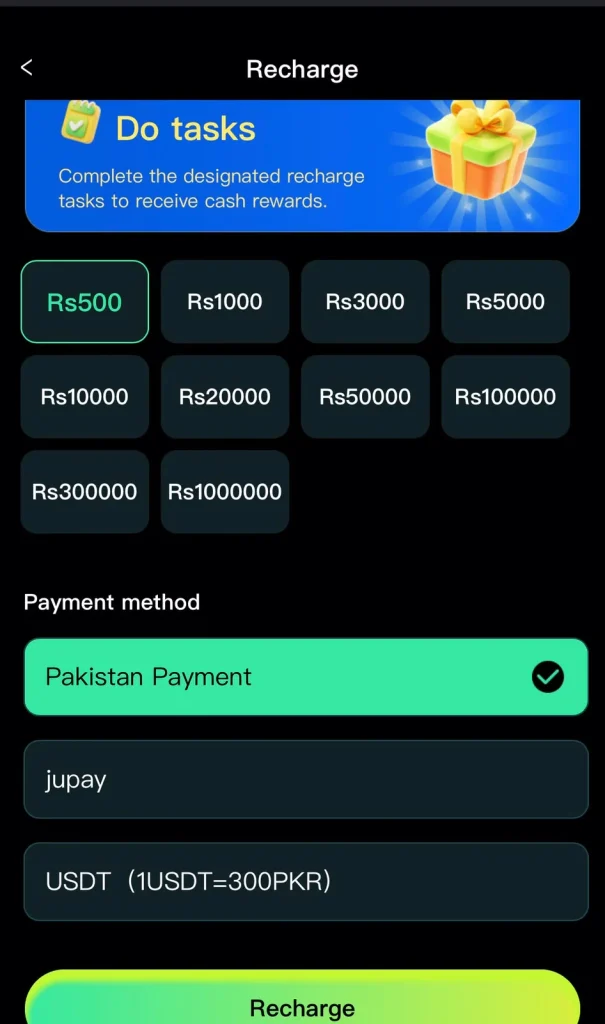
To start earning from the Bit Forge app, it is necessary to deposit Rs. 500. Here’s the full method:
Visit the deposit/recharge section: “Deposit” on the dashboard after logging into the Bit Forge App, or click the “Recharge” option.
Select payment method: Pakistan usually has JazzCash or Easypaisa options. Choose your method.
Enter amount: Write Rs.500 in Deposit Amount.
Send money: Jazzcash/Easy Paisa account number and account holder name on app screen cop. Send Rs. 500 to this number with your JazzCash or EasyPaisa app.
Enter transaction ID (TID): After sending money you’re SMS from 8584 or 3737 received a Trxn ID / TID. This ID has been deposited by the Bit Forge app. Paste in form.
Upload screenshot: Upload a screenshot of payment slip and click on Submit Deposit.
Package activation: After admin confirmation (whates in 5 to 30 minutes), your 500 wall. Package will be activated.
How to get daily work and income from Bit Forge?
Your earning process starts after the package is activated. Your daily income in the Bit Forge app depends on your work:
Daily tasks: You’ll get a couple of tasks or aids on Bit Forge dashboards you’ll find daily gotta complete
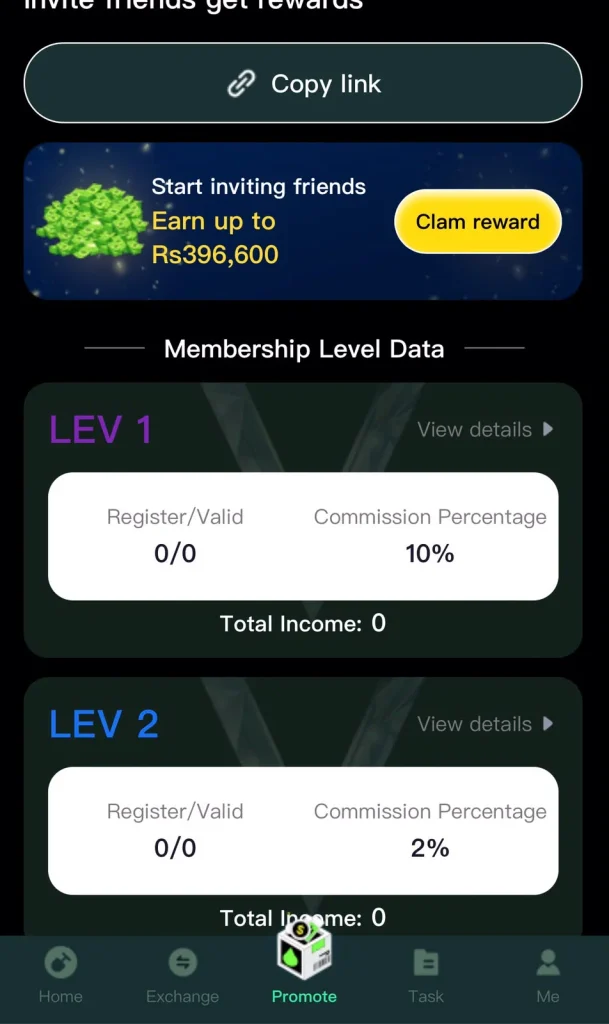
Referral income: If you invite your friends from your Bit Forge link, you’re per referral will get commissions and bonuses separately.
Work level: The more time you’ll give and complete tasks, the more daily income your Bit adding to Forge Wallet.
How to withdraw in JazzCash and Easy Paisa from Bit Forge?
When you’ve reached the minimum withdrawal limit in your Bit Forge account, you’re ready. Can transfer your money to your JazzCash or EasyPaisa account:
Click the Withdraw option on Bit Forge dashboard.
Choose you want to take money in Jaz Cash or Easy Money.
Write your account holder name and account number instruction.
Enter as much as you’d like to withdraw money.
Click the Submit. Money will be received in your account within a few hours.
Precautions
It is very important to take care of a few things while working on Bit Forge or any online earning app. is:
Always start with a small amount (Rs.500).
Avoid depositing a huge amount without verification.
Don’t share your JeshCash/Easy Money PIN(PIN) or OTP(OTP) with anybody.
Conclusion
Bit Forge App is an online platform that offers users different earning opportunities. Users can explore its features, daily tasks, and available packages. However, earnings are not guaranteed, and depositing money involves financial risks. Always check the app’s safety and reliability before investing your money.
Download links
How to install Bit Forge App Review 2026 Best Ultimate Daily Earning Guide APK?
1. Tap the downloaded Bit Forge App Review 2026 Best Ultimate Daily Earning Guide APK file.
2. Touch install.
3. Follow the steps on the screen.